
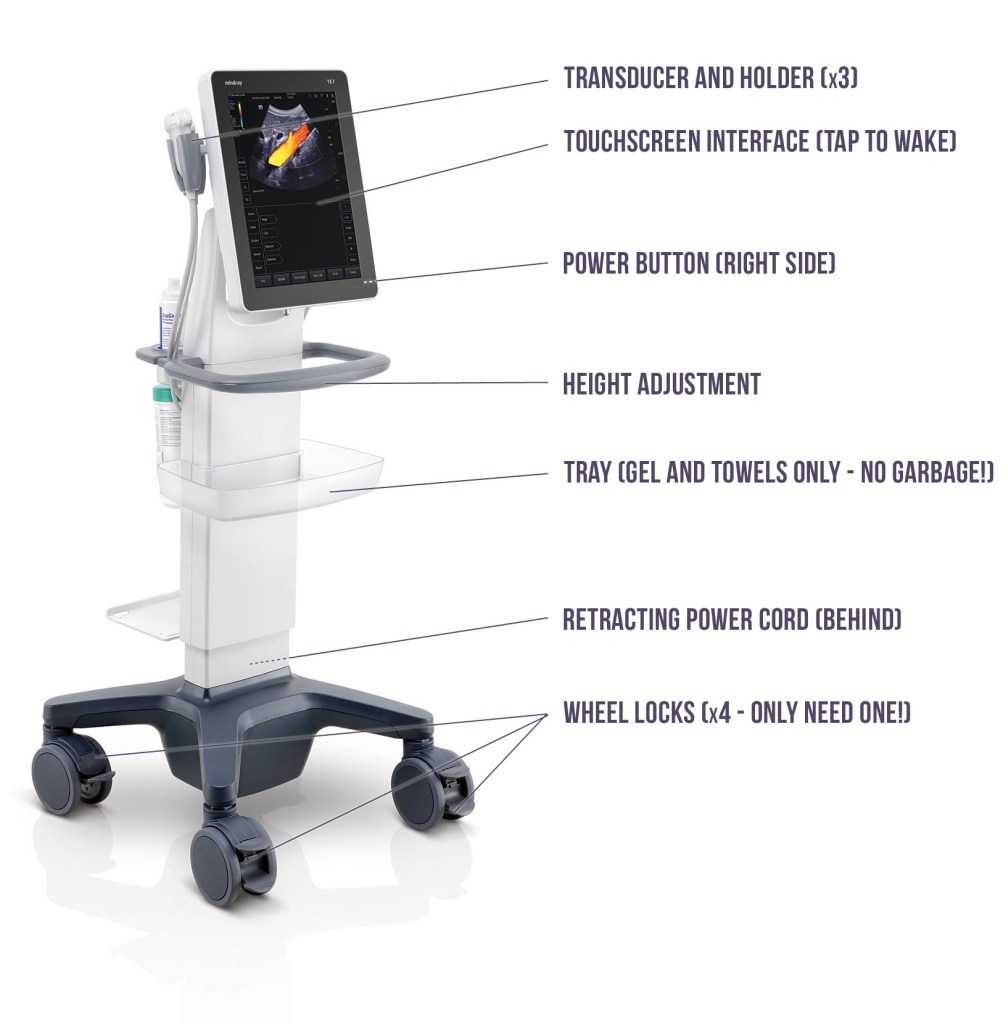
Machine overview
Performing a study
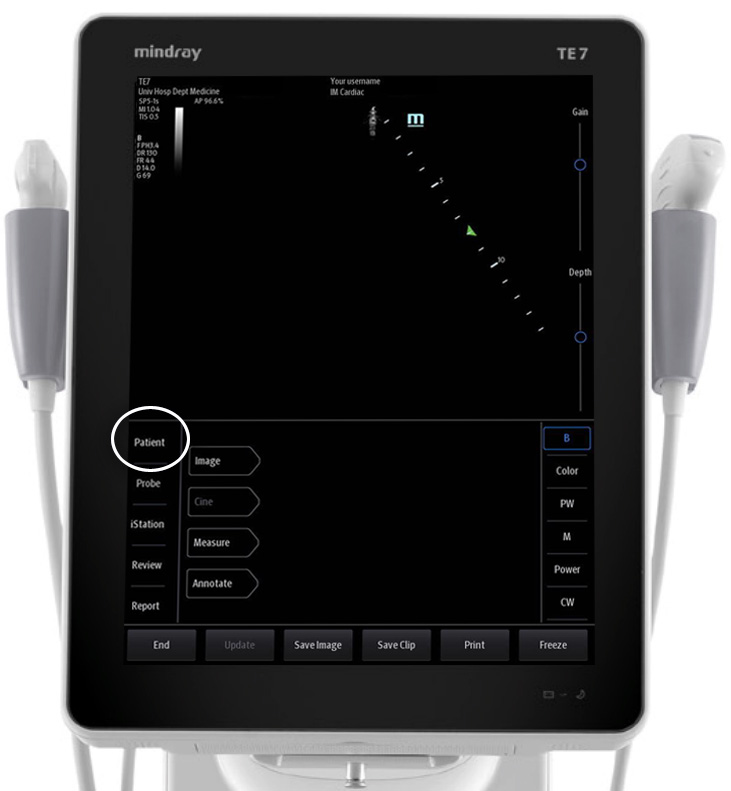
1 Tap “Patient“.
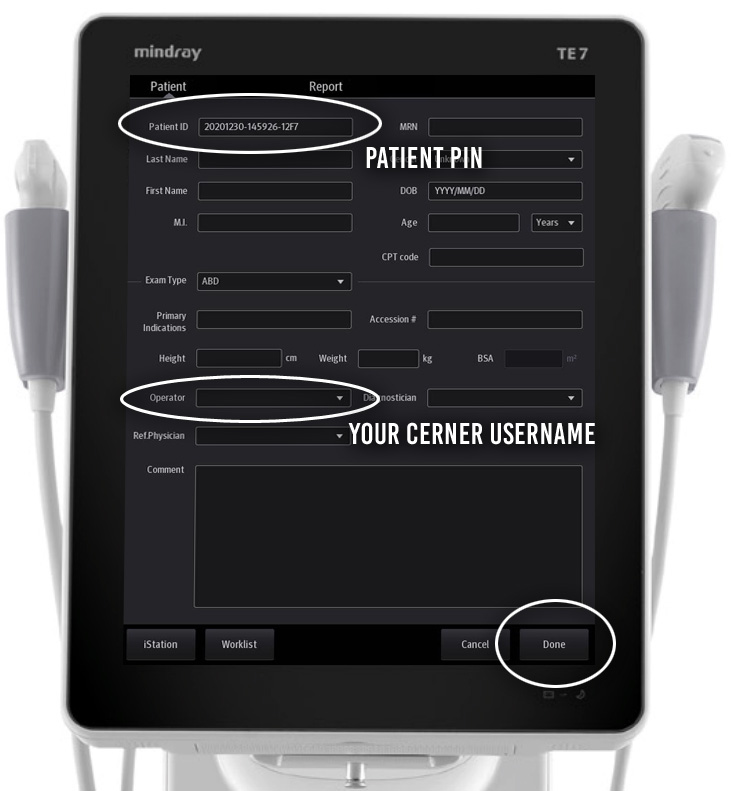
2 Enter patient PIN under “Patient ID“, and your Cerner username under “Operator“. All other fields can be ignored.
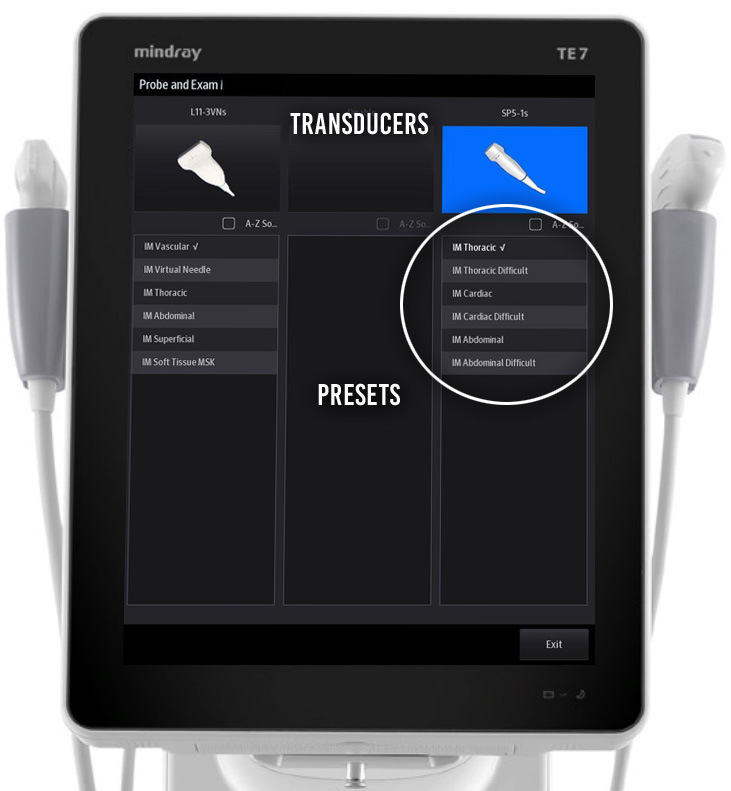
3 Tap “Probe“.
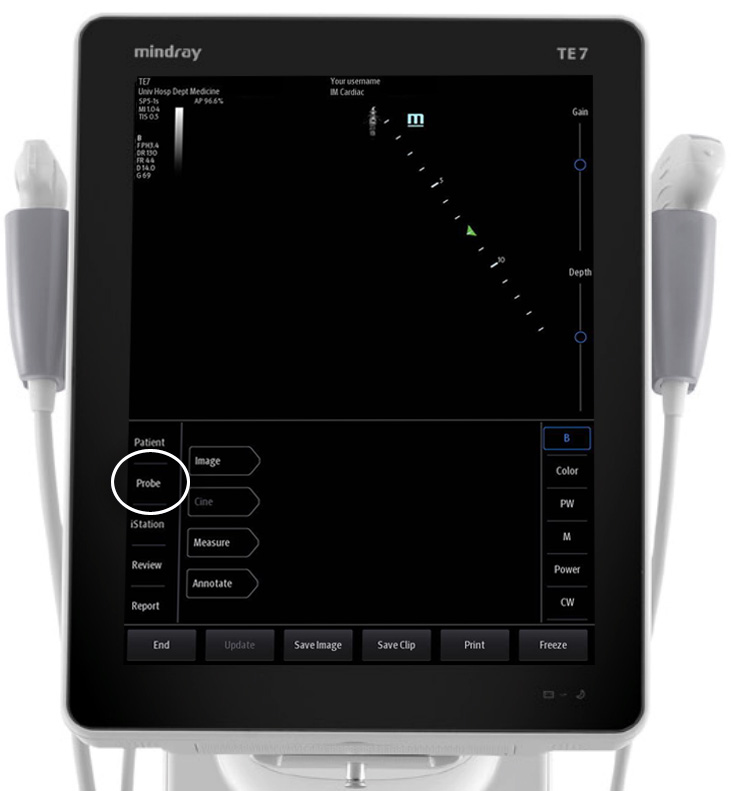
4 Choose the desired preset (e.g. “IM Thoracic“) under the appropriate tranducer (e.g. phased array probe). Note: the checkmark ( ) beside a preset is just indicating the default preset for each transducer; always select a preset rather than just the transducer.
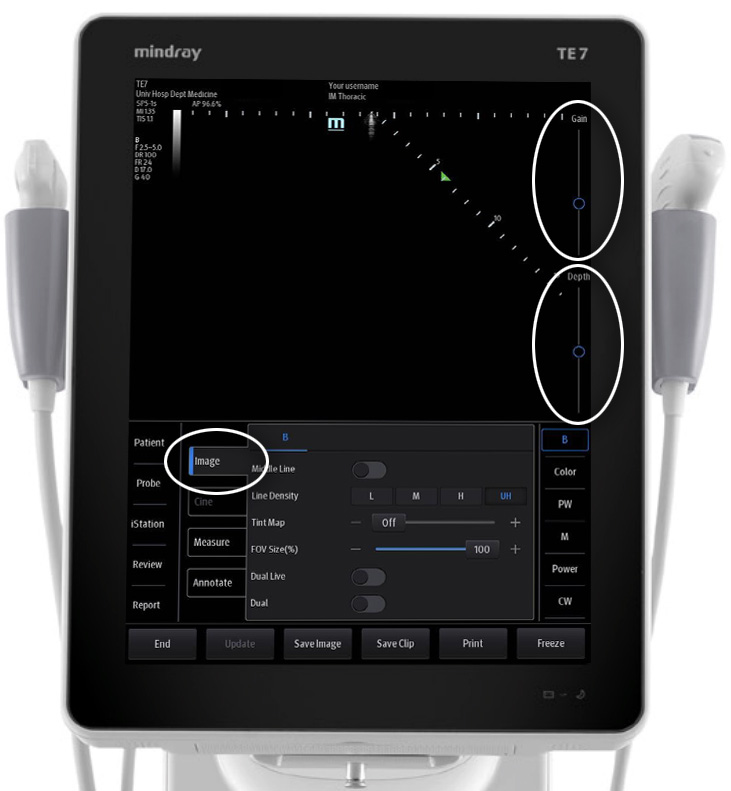
5 Optimize gain, depth, and other image properties as needed.
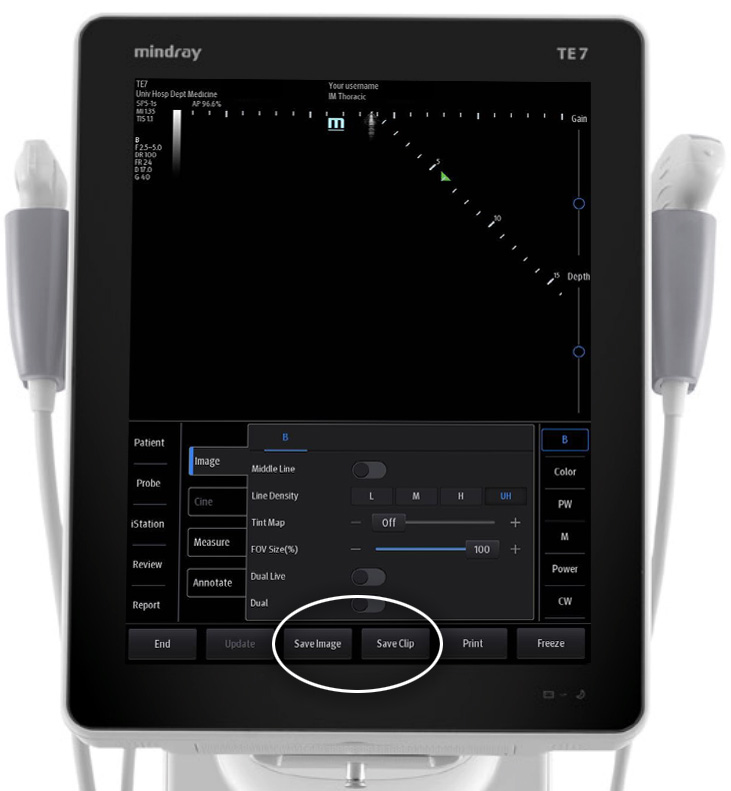
6 Archive your exams – tap “Save Image” (still image) and/or “Save Clip” (6s video clip).
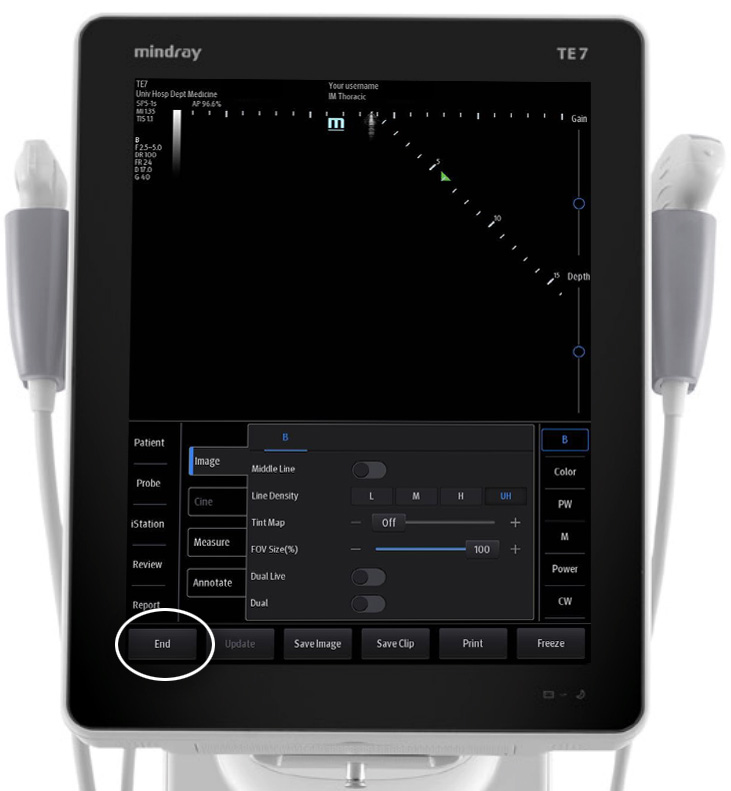
7 Tap “End” to conclude the study.
Other useful “knob”-ology
“Freeze/Unfreeze” and “Cine” (scrolling through past frames)
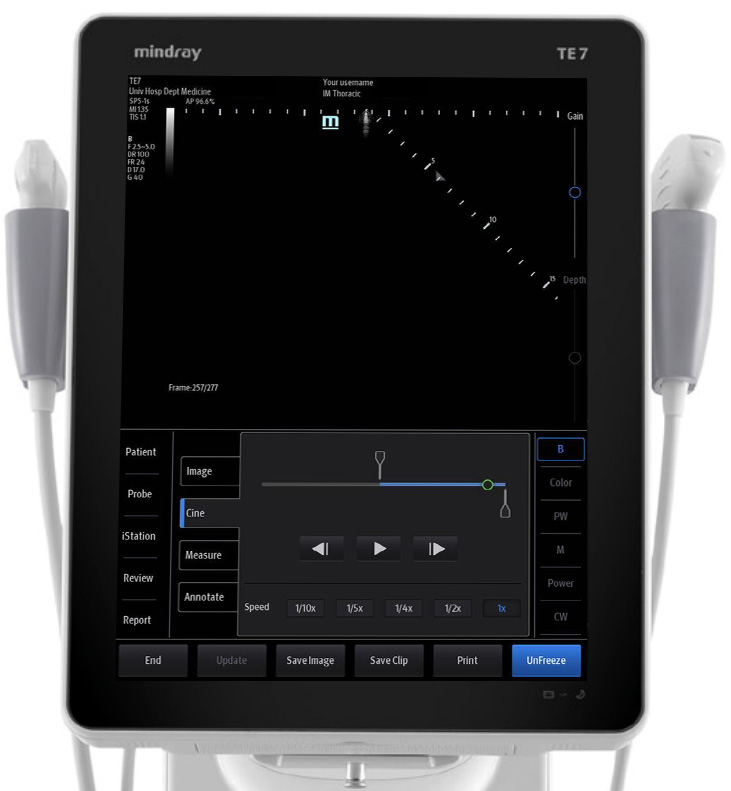
“iStation” to review archived images/clips
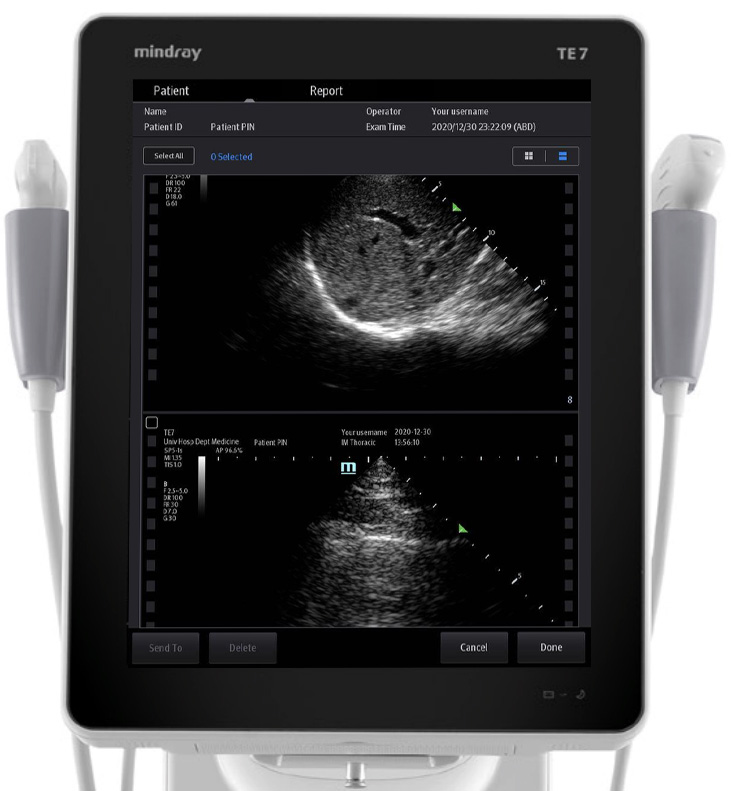
Virtual needle visualization using a needle magnetizer (brief training required)

 IMSono.ca